
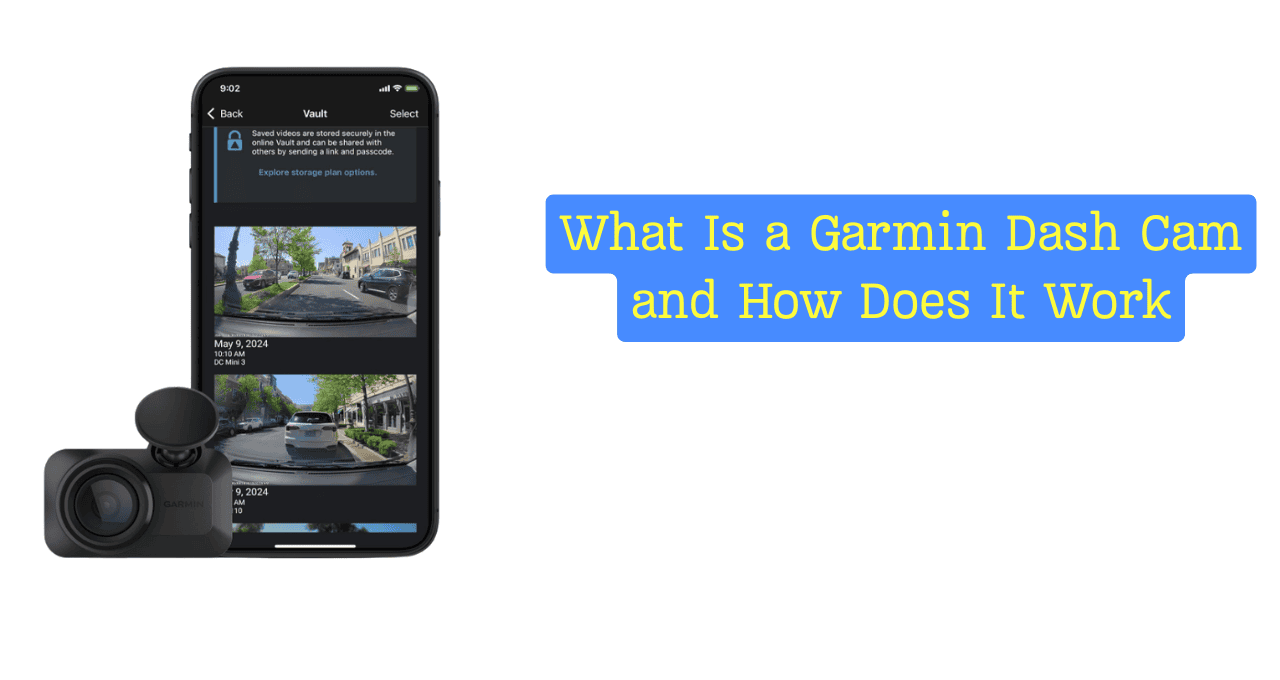
I did not plan to buy a dash cam. One close call changed that. I went home stressed and asked myself, what is a Garmin dash cam and how does it work, and could it really help me next time.
I picked Garmin because it felt solid and clear. No fluff. Just a camera that works when things go wrong. A friend once said his dash cam was like a seatbelt for the truth, and I felt that was right.
Today, with crashes, road rage, and false claims on the rise, dash cams feel less like extras and more like basics. In this guide, I’ll share why Garmin stood out for me and how it protects drivers every day.
What Is a Garmin Dash Cam? (Simple Explanation)
A Garmin dash cam is a small camera that mounts on your windshield. It records the road while you drive. Think of it as an extra set of eyes that never blinks. It works even when you forget it is there.
Unlike a basic dash cam for cars, a Garmin dash camera feels smarter. It reacts to crashes. It tracks location. It warns you before trouble starts. Most cheap cameras just record. Garmin helps you drive safer.
Garmin is known for GPS and navigation tools. Many drivers already trust Garmin in their cars, boats, and planes. This makes their in-car video camera feel less like a toy and more like real vehicle safety gear. It is built to last.

How Does a Garmin Dash Cam Work? (Step-by-Step Breakdown)
1. Continuous Video Recording Explained
A Garmin dash cam records every drive. It uses loop recording. When the card is full, it deletes the oldest clip. You never need to press a button.
Most models record in clear HD. Some offer 1440p or sharp 4K video. Plates and signs stay easy to read. This matters when details count.
2. G-Sensor & Automatic Incident Detection
The dash cam has a built-in impact sensor. If a crash happens, it locks the clip right away. That file stays safe. It will not be erased.
This saved me real time once. A driver hit me, then blamed me. The video ended the talk in minutes. My insurer thanked me.
3. GPS Tracking & Speed Data
Many Garmin dash cams include GPS. This adds time, speed, and place to each clip. It works in the background. You do nothing.
This data helps with claims and reports. It shows what really happened. In tense moments, facts calm things fast.
4. Voice Control & Hands-Free Commands
You can talk to the camera. Simple commands start and save videos. Your hands stay on the wheel. Your eyes stay up.
I use this on busy roads. It feels natural. Like asking a calm friend to take notes.
Key Features That Make Garmin Dash Cams Stand Out
Garmin dash cams are small and discreet. Most people never notice them. I like that. It feels private and clean.
Night vision works well. Headlights do not wash out plates. Dark roads stay clear. This matters more than ads say.
The Garmin Drive app makes viewing clips easy. You can save or share fast. Parking mode dash cam features also watch your car when parked. That feels like a quiet guard on duty.
Driver alerts add value. Lane warnings and forward alerts act like gentle taps on the shoulder. Helpful, not loud.
My Real-Life Experience Using a Garmin Dash Cam
Daily use is simple. I start the car. It starts recording. I never think about it.
Install took under ten minutes. One cable. One mount. No stress. It just worked.
The camera has stayed reliable. Heat. Cold. Long drives. One clip helped prove a false claim. That moment alone made it worth it.
The downside is cost. Garmin is not the cheapest. But like good tires, quality shows when it matters.
Is a Garmin Dash Cam Worth It for Everyday Drivers?
This works best for commuters, families, and rideshare drivers. Road trips too. Anyone who drives often gains peace of mind.
You pay more upfront. But you save stress later. Cheaper cams exist. Many fail when needed most.
I see it as insurance you can replay. Quiet until needed. Strong when called on.
Garmin Dash Cam Models Overview (Beginner to Advanced)
Entry models cover basic needs. Clear video. Easy use. Good value.
Mid-range models add GPS and voice control. This is the sweet spot for most drivers.
Premium 4K models give sharp detail and cloud tools. Choose based on how much you drive and where.
Common Concerns & Things People Ask Before Buying
Dash cam footage is legal in most U.S. states. Laws vary on audio recording. Always check local rules.
Most models do record sound. You can turn it off. Battery drain is low with proper wiring.
Storage depends on video quality. A larger card lasts longer. Loop recording handles the rest.
FAQs – Garmin Dash Cam Explained
What is a Garmin dash cam and how does it work?
A Garmin dash cam is a windshield-mounted camera that records your drive. It uses loop recording, saves crash clips automatically, and may add GPS data. It helps protect drivers by showing clear proof during accidents or disputes.
Do Garmin dash cams record all the time?
Yes. They record while you drive. Old clips delete on their own.
Can Garmin dash cams record when the car is parked?
Yes. Parking mode watches for motion or impact.
How do I view footage from my Garmin dash cam?
Use the Garmin Drive app or remove the memory card.
Are Garmin dash cams easy to install?
Yes. Most take under ten minutes.
Final Thoughts – Should You Get a Garmin Dash Cam?
I recommend Garmin if you want calm protection. It records. It remembers. It speaks when needed.
The biggest benefit is peace of mind. Like locking your door at night. You hope you never need it.
If you drive often, this small camera can make a big difference. Quiet help is still help.

Jake Elston
I am Jake Elston, the founder of CarDetailFlow. I have eight years in car work. I hold a post-grad cert in Automotive Materials and Design Engineering from the University of Michigan–Dearborn. My goal is to share true, simple car help with all drivers.