
There is nothing worse than hopping in for a drive and finding your Tesla AC not cold. I have been there, sweating in traffic while my car felt more like a hot sauna than a high-tech ride. After years of driving my Model 3 and fixing these glitches myself, I learned exactly what to do. I will show you the simple fixes that worked for me so you can stop sweating. Let’s get that cold air flowing again right now.
Why Is My Tesla AC Not Cold? (Most Common Causes)
If your Tesla feels more like a sauna than a spaceship, don’t panic. It usually boils down to a few specific culprits. Here is what I found when I dug into the “why.”
Cabin Overheat Protection and Software Behavior
One summer, I walked out to my car expecting it to be scorching, but the fan was already humming. This was Cabin Overheat Protection (COP) at work. It is designed to keep the cabin below 105°F (40°C) to protect the electronics (and your hands from burning on the steering wheel).
However, COP is not full air conditioning. If you get in and the air feels weak or just “okay,” the car might still be transitioning from this safety mode to full cooling. I noticed a delay of about 30 seconds before the icy air really kicked in. It is a feature, not a bug.
Outside Temperature and Heat Soak Effects
Teslas are basically glass bubbles. That panoramic roof looks amazing, but it acts like a greenhouse. In direct sunlight, the interior temperature can skyrocket faster than in a traditional metal-roofed car.
This is called “heat soak.” If the dashboard and seats are 150°F, the AC has to fight that radiant heat before it can cool the air. I once parked in an uncovered lot in Arizona; even with the AC on “Lo,” it took 10 minutes to feel comfortable because the materials themselves were radiating heat back at me.
Low Refrigerant or AC System Issues
This is rare for newer EVs, but it happens. If you hear a loud fan noise from the front of the car but get zero cooling, you might be low on refrigerant.
For me, the sign was subtle. The air wasn’t hot, but it wasn’t crisp. It felt like a gentle breeze rather than a blast. In the service menu (more on that later), you might see error codes like THC_w0136 (low refrigerant pressure).
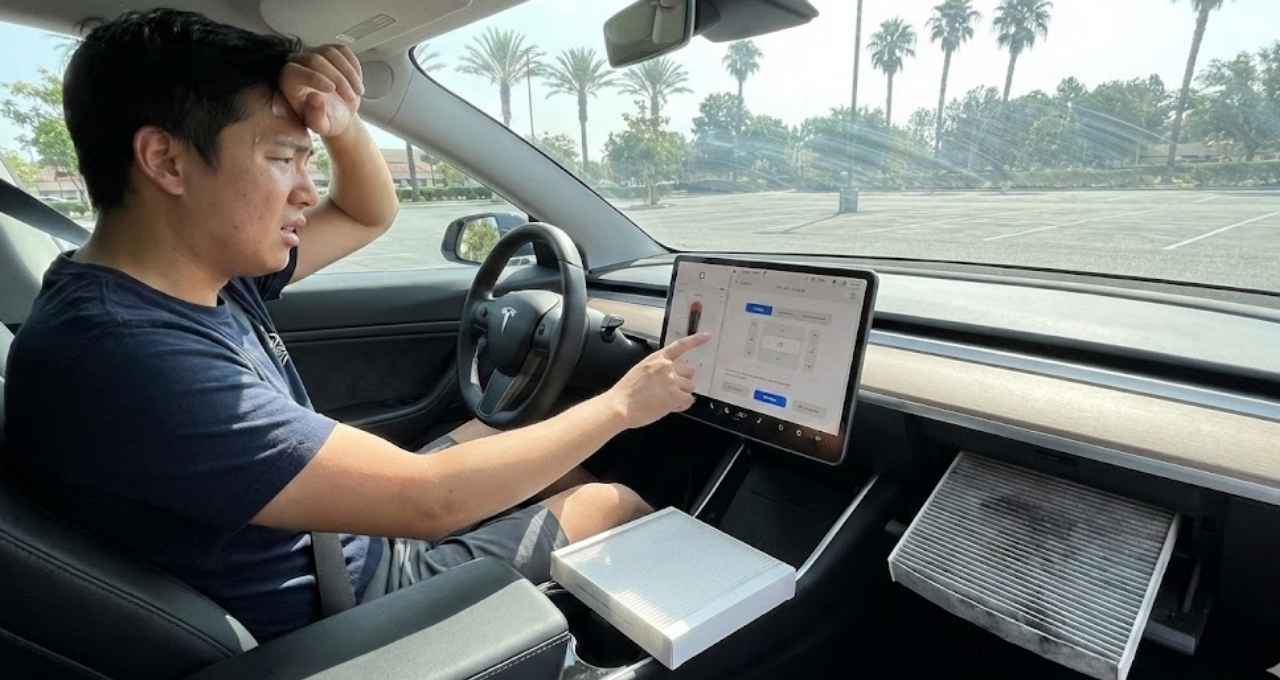
Blocked or Dirty Cabin Air Filter
Imagine trying to breathe through a coffee straw. That is your AC system with a dirty filter. Tesla recommends replacing these every 2 years, but if you drive in dusty areas or near wildfires, do it sooner.
I let mine go for three years. Big mistake. The airflow was weak, and it smelled like old gym socks. I swapped them out (a $35 DIY job), and the difference in airflow was instant. It felt like I had upgraded the entire AC unit.
Software Bugs or Outdated Firmware
Your Tesla is a computer on wheels. Sometimes, the code gets stuck. I once had an issue where the climate control screen froze, locking the temperature at 72°F. A simple software update released the next day fixed it entirely. Always check your app for pending updates before tearing the car apart.
My Personal Experience With Tesla AC Not Cooling Properly
It happened on a Tuesday. I was running errands, and the outside temperature was a manageable 85°F. I cranked the AC to “Low,” expecting that instant freeze. Instead, I got… room temperature air.
I thought, “Great, the compressor is dead.” My mind went straight to a $2,000 repair bill. The air coming out wasn’t hot, but it definitely wasn’t cooling the cabin. I was sweating within five minutes.
It turns out, I was overthinking it. It wasn’t a broken part. It was a confused sensor. The car thought the cabin was already cold, so it throttled the AC down to save battery. A quick reset (which I will share below) fixed it immediately. This issue is way more common than actual mechanical failure.
Quick Things I Tried That Actually Helped
Before you book a service appointment, try these steps. They saved me a trip to the service center.
Restarting the Tesla HVAC System
This is the “turn it off and on again” trick.
- Park the car safely.
- Hold down both scroll wheels on the steering wheel until the screen goes black.
- Wait for the Tesla “T” logo to reappear.
This soft reset forces the computer to reload the HVAC drivers. For me, this cleared the glitch instantly.
Manually Adjusting AC Settings
Sometimes “Auto” mode tries too hard to be efficient.
- Switch to Manual: Tap the fan icon and take control.
- Drop the Temp: Set it to “Lo.”
- Recirculate: Turn on the “Recirculate” button (the icon with the arrow inside the car). This pulls air from inside the cool cabin instead of the hot outside air.
Preconditioning the Cabin
This is the biggest game-changer. Open your Tesla app 10 minutes before you leave and hit “Climate.”
- It cools the seats.
- It vents the hot air.
- It ramps up the compressor before you sit down.
When I started doing this, I never had a “warm start” again. It uses a tiny bit of battery (maybe 1-2%), but the comfort is worth it.
Checking Cabin Air Filters
I checked mine by pulling the panel under the glovebox. It took me about 20 minutes the first time. The filters were gray and clogged with dust. A new set costs less than a tank of gas (for a regular car) and restores that “new car” airflow.
When a Tesla Service Appointment Is Necessary
Sometimes, DIY isn’t enough. You need to stop troubleshooting and book service if:
- Loud Noises: You hear grinding or screaming fans from the “frunk” area.
- Error Codes: You see specific alerts like “Climate control system requires service” on the screen.
- Zero Airflow: The fan is running on the screen, but nothing comes out of the vents.
In these cases, it is likely a hardware failure, like a rock hitting the condenser or a failed Supermanifold (the “Octovalve”).
Is Tesla AC Worse Than Gas Cars? (Honest Comparison)
I have driven gas cars my whole life, and here is the honest truth: No, it is not worse, but it is different.
- Gas Cars: The AC runs off the engine belt. It is powerful but relies on the engine running.
- Tesla: It runs off the high-voltage battery. It is instant and can run while parked without idling an engine.
The trade-off? Range. If you blast the AC on “Lo” for hours, you will see your range drop. But in terms of pure cooling power? My Model 3 gets colder faster than my old Camry ever did—as long as I precondition it.
How to Prevent Tesla AC Problems in the Future
- Use “Auto” with Caution: In extreme heat, manual control is often better.
- Park Smart: Use a windshield sunshade. It stops the heat soak before it starts.
- Keep it Clean: vacuum the air intake vents near the windshield wipers (outside the car) to prevent leaves from blocking flow.
- Update Often: Don’t ignore those software update notifications. They often contain thermal management tweaks.
FAQs – Tesla AC Not Cold
Why is my Tesla AC blowing air but not cold?
This is usually a software glitch or a sensor error. Try a soft reset (hold both scroll wheels). If that fails, you may be low on refrigerant.
How long does it take for Tesla AC to get cold?
If the car is “cold soaked” (sitting overnight), it is instant. If it is “heat soaked” (sitting in the sun), it takes 2-5 minutes to overcome the hot interior materials.
Does Tesla AC work when the car is parked?
Yes! You can use Camp Mode or Dog Mode to keep the AC running indefinitely while parked.
Can I drive if my Tesla AC isn’t cold?
Yes, it is safe to drive, but keep an eye on battery temperature warnings. The AC system also cools the battery; if the AC is totally dead, the car might limit power to protect the battery.
How much does it cost to fix Tesla AC issues?
- Filters: $35 (DIY).
- Sensors/Recharge: $200–$400.
- Compressor Replacement: $1,000–$1,500+.
Final Thoughts – What I’d Tell Any Tesla Owner Experiencing This
If your Tesla AC isn’t cold, don’t assume the worst. In my experience, 90% of the time it is a software hiccup or a dirty filter. Take a breath, restart the screen, and check your settings.
You bought a spaceship; sometimes you just need to reboot the computer. But if those simple fixes don’t work, don’t hesitate to use the app to book service. It is better to be safe than sweaty. Stay cool out there!

Jake Elston
I am Jake Elston, the founder of CarDetailFlow. I have eight years in car work. I hold a post-grad cert in Automotive Materials and Design Engineering from the University of Michigan–Dearborn. My goal is to share true, simple car help with all drivers.