
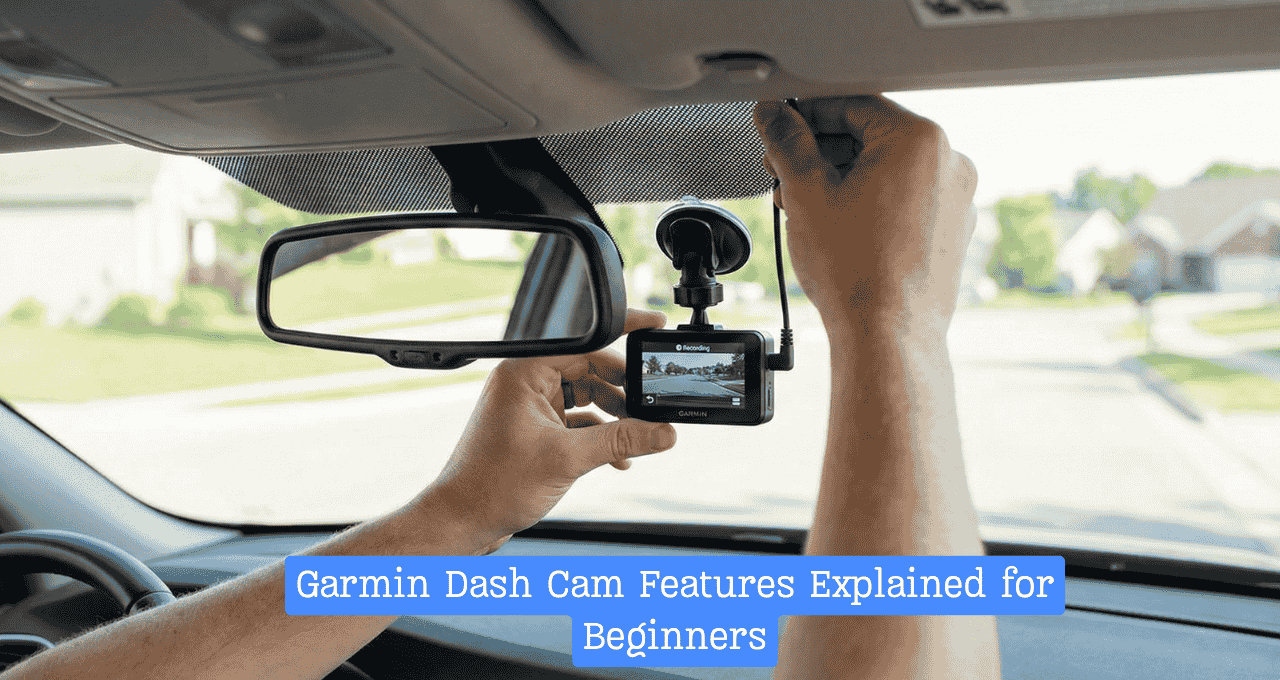
Driving in busy traffic often feels like a gamble, but my camera is the ace up my sleeve. I used to worry about the tech, yet seeing these Garmin dash cam features explained for beginners through my actual road trips made it all click. It is just like having a silent copilot that never blinks, protecting you when it counts. Let’s cut the stress and find the perfect safety net for your car.
What Is a Garmin Dash Cam and How Does It Work?
Think of a dash cam as a silent witness that never blinks. It is a small camera that sticks to your windshield. It records the road while you drive. Unlike generic brands that often break after a hot summer, Garmin builds these to last. They focus on clear video and easy use.
This tool is not just for tech lovers. It is perfect for daily commuters and parents. Even rideshare drivers use them for safety. If you take road trips, it captures the view too.
Here is the best part for day one. You just plug it in. It starts working right away. You do not need to be a computer whiz. It feels like having a loyal friend in the passenger seat.
Key Garmin Dash Cam Features Explained for Beginners
1. High-Quality Video Recording (HD, 1440p & 4K Options)
When I first looked at my footage, I was shocked. The Garmin dash cam video quality was crisp and bright. I could clearly read street signs. This clarity is vital if an accident happens. You need to see the details, not just a blur.
In the daylight, everything looks sharp. But the real test is at night. My HD dash cam for beginners handled low light very well. It did not get blinded by oncoming headlights. It keeps the image steady and clear.
2. Automatic Incident Detection (G-Sensor)
This camera is smart. It has a sensor that feels movement. It knows if you brake hard or get hit. I call it the “reflex” feature.
One time, I had to slam on my brakes. The camera felt the jerk. It instantly saved that video clip separately. It locks that file so you cannot lose it. For a beginner, this peace of mind is huge. You do not have to press a button in a panic.
3. Loop Recording (Never Run Out of Space)
You might worry about the memory card filling up. Don’t be. Loop recording solves this. Imagine a cup that never overflows. When the card is full, it deletes the oldest, boring video.
It then records the new video in that spot. It keeps doing this in a loop. But remember the G-Sensor? It protects the crash clips. Those safe clips stay in the cup. I never have to manage storage manually. It just works.
4. GPS Tracking and Speed Logging
This feature acts like a travel diary. It logs exactly where you are. It also tracks how fast you are going. This data is stamped right onto the video.
I find the Garmin dash cam GPS feature very helpful. If someone says you were speeding, the video proves you were not. It shows your location on a map too. Just know that this data is there. It tells the truth about your driving.
5. Voice Control (Hands-Free Safety Feature)
I love this feature. You keep your hands on the wheel. You just say, “OK, Garmin.” The camera listens to you.
You can tell it to save a video. You can tell it to take a picture. It feels safer than fumbling for buttons. When I see something crazy on the road, I just speak. The camera obeys instantly. It helps new drivers focus on the road.
6. Parking Mode Monitoring
Your car needs protection even when parked. This mode watches your car while you shop. It wakes up if someone bumps your bumper.
I found this useful in tight parking lots. It caught a cart hitting my door once. Note that you might need a special cable for this. It draws power from the car battery. But it stops before draining your battery dead.
7. Smartphone App Integration (Garmin Drive App)
The screen on the camera is small. The Garmin Drive app explained everything better on my phone. I connected them via Wi-Fi.
It lets you view clips on a big screen. You can save them to your phone roll. I sent a clip to my insurance agent in minutes. It was very fast. The app is simple to navigate. It connects without a fuss.
What Garmin Dash Cam Features Beginners Actually Need (And What You Can Skip)
Start with the basics. You need good video and the G-Sensor. These are the core safety tools. Voice control is also a great bonus for safety.
You can skip the lane departure warnings at first. They beep a lot in city traffic. It can get annoying. You also might not need 4K video right away. 1080p is usually good enough. Don’t overspend on fancy extras you won’t use.
My Real-Life Experience Using a Garmin Dash Cam
The biggest surprise was how small it was. It hides behind my mirror. I forget it is even there. That is a good thing.
I thought setup would be hard. I was wrong. I tucked the wire into the roof liner. It took me ten minutes. The one feature I ignored was the “Go Alert.” It beeps when traffic moves. I found I didn’t need it. But overall, I felt safer immediately. It took zero time to get comfortable.
Garmin Dash Cam Models for Beginners (Quick Comparison)
- Garmin Mini: It is the size of a key fob. It has no screen. Best for people who want it invisible.
- Garmin Dash Cam 47 / 57: These are the standard choices. They have screens and great GPS. Best for most drivers.
- Garmin Dash Cam Tandem: This has two lenses. One looks inside the car. Best for Uber or Lyft drivers.
Comparison Notes:
- Price: Mini is cheapest. Tandem is pricey.
- Setup: All are very easy.
- Best Start: The 47 is the sweet spot.
Pros and Cons of Garmin Dash Cams for Beginners
Pros
- Very easy to use.
- The brand is trusted and tough.
- The app works well.
- Video is clear and reliable.
Cons
- They cost more than generic brands.
- Parking mode needs a specific cable.
- The screen on the back is tiny.
FAQs: Garmin Dash Cam Features Explained for Beginners
Is a Garmin dash cam easy to use for beginners?
Yes, absolutely. You mount it, plug it in, and drive. The menu is simple. The voice commands make it even easier. You do not need technical skills to start.
Does a Garmin dash cam record all the time?
It records whenever the car is on. When you turn the car off, it stops. This saves your battery. It only records 24/7 if you use parking mode.
Can Garmin dash cams record while parked?
Yes, but you need “Parking Mode.” This usually requires a special hardwire cable. It detects bumps or motion when the car is off and locked.
Do Garmin dash cams need Wi-Fi?
No, they record to a memory card. You do not need Wi-Fi to drive. You only use Wi-Fi to move videos to your phone app.
Is a Garmin dash cam worth it for everyday drivers?
Yes. It provides proof in accidents. It protects you from insurance fraud. The peace of mind alone is worth the price for daily driving.
Final Thoughts: Is a Garmin Dash Cam Right for You as a Beginner?
I honestly believe every car should have one. It is a small investment for big protection. If you are new to dash cams, Garmin is a safe bet. It is reliable and simple.
You do not need the most expensive one. Start with a mid-range model like the 47. It does the job perfectly. Don’t wait for an accident to wish you had one. Drive safe and let the camera do the watching.

Jake Elston
I am Jake Elston, the founder of CarDetailFlow. I have eight years in car work. I hold a post-grad cert in Automotive Materials and Design Engineering from the University of Michigan–Dearborn. My goal is to share true, simple car help with all drivers.