
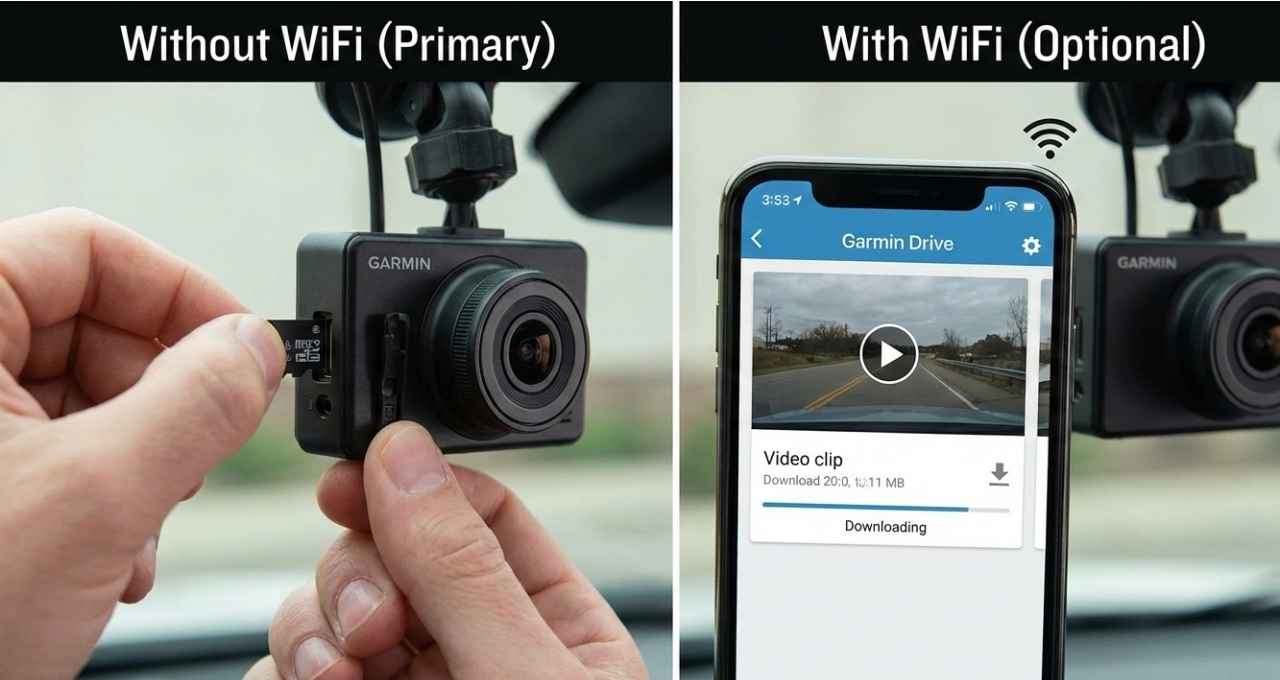
Buying a dash cam can feel like learning a new language. I remember sitting in my driveway, worried my gear was useless without a connection. So, do Garmin dash cams need WiFi to work? The short answer is no. Mine acts like a trusty silent passenger, recording every mile without any internet at all. Let’s break down how it handles the road solo.
Quick Answer: Do Garmin Dash Cams Need WiFi to Work?
No, Garmin dash cams do not need WiFi to work.
Your camera will function perfectly as a standalone device. Think of it like a traditional digital camera. It does its main job without ever talking to the internet.
Here is what happens without a WiFi connection:
- Recording video: The camera captures the road the second it gets power.
- Saving footage: All video clips are saved directly to the microSD card inside the unit.
- Power requirements: The camera draws power from your car’s outlet or hardwire kit, not a network.
The Bottom Line: WiFi is only an optional tool. You use it to move videos to your phone or update software. For daily driving and protection, you can leave the WiFi off.
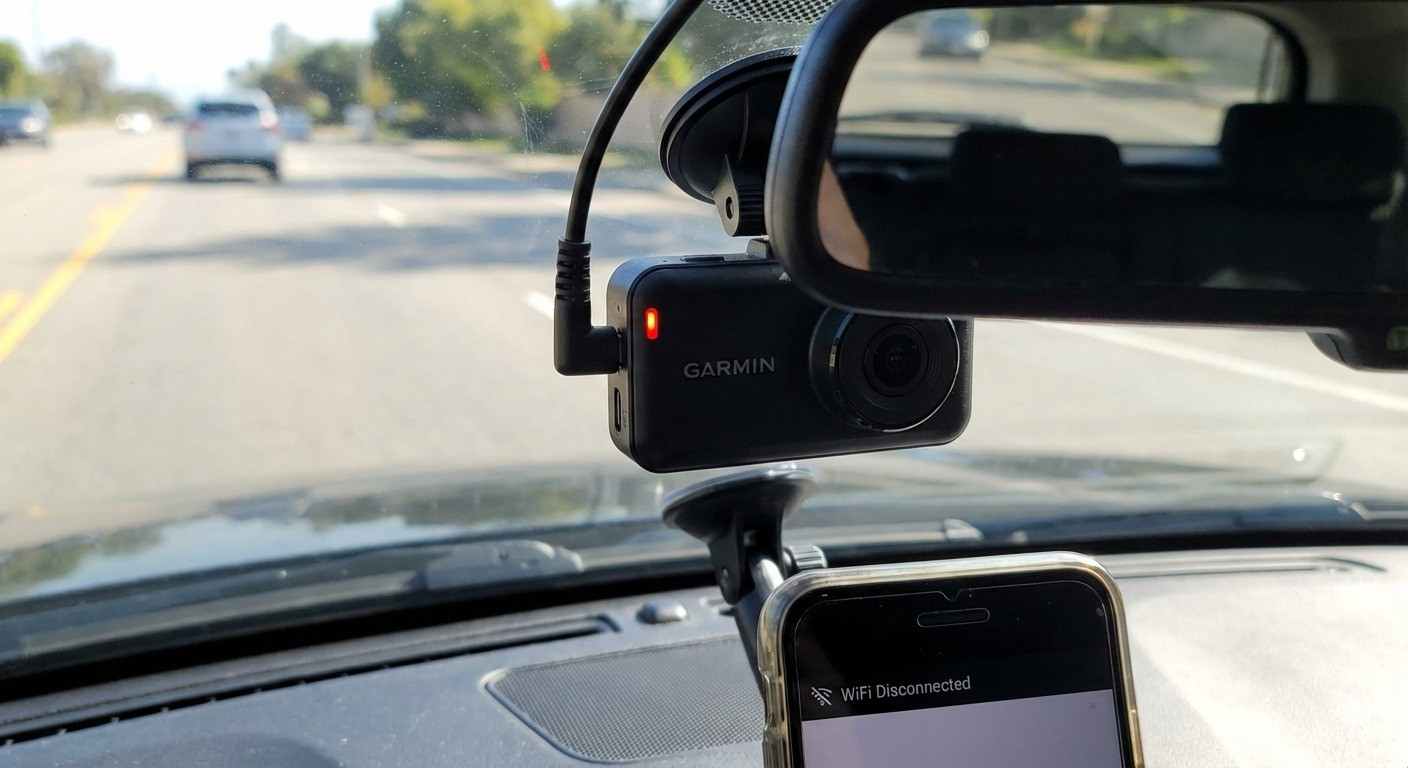
How Garmin Dash Cams Work Without WiFi
Many people worry that a dash cam is a “smart device” that turns into a paperweight without the internet. That isn’t true. In my experience, these cameras are actually rugged, “set-it-and-forget-it” tools.
Basic Recording and Storage
The core function of the camera is simple. It does not need a signal to see what is happening in front of you.
- SD card recording: The camera writes data to a physical card. As long as the card is in the slot, you are safe.
- Loop recording: When the card gets full, the camera writes over the oldest footage. This happens automatically. You don’t need to manage it.
- Power via vehicle outlet: The unit wakes up when you start your engine. It goes to sleep when you park.
My Experience: I have run a Garmin Mini 2 in my daily driver for months. I honestly forget it is there. I don’t open the app. I don’t check the WiFi. I just drive. The one time I needed to check footage, I just pulled the card out. It had recorded everything perfectly.
GPS and Sensors (No Internet Required)
There is a common confusion between GPS and WiFi. They are two different things.
- Speed tracking: The camera talks to satellites in the sky, not a cell tower. Your speed is stamped on the video even in dead zones.
- Location data: The camera knows exactly where you are.
- Incident detection: If you brake hard or get hit, the G-sensor feels it. It locks that video file instantly.
Practical benefit: Imagine driving through a remote canyon with zero cell service. If an accident happens, your Garmin still knows your speed and location. It doesn’t need the web to prove you were driving safely.
When WiFi Is Used on Garmin Dash Cams
So, if it works without WiFi, why does it even have it? Think of WiFi as a bridge. It helps you get files from the camera to your phone without using a computer.
Connecting to the Garmin Drive App
This is where the “smart” features come in. You connect your phone to the camera’s local WiFi signal.
- Viewing footage on your phone: You can watch playback right in your car.
- Changing settings: It is easier to adjust video quality on a phone screen than on the tiny camera buttons.
- Firmware updates: Garmin sends fixes and improvements through the app.
My Experience: Setting this up for the first time took me a few minutes. You have to pair the devices. It feels like a “digital handshake.” Once they met, it was smooth. But I only do this maybe once every few months to check for updates.
Downloading and Sharing Video Clips
If you see something wild on the road, you might want to share it.
- WiFi makes it faster: It sends the high-quality video file to your phone gallery.
- Limitations: It can be a little slow if the file is huge (like a 4K video).
- Hotspot vs. Home WiFi: You usually connect to the camera’s own WiFi signal, not your house router.
Features That Require WiFi vs Features That Don’t
It helps to see exactly what you get with each method. Here is the breakdown.
Works Without WiFi
These are the essentials. You get these right out of the box.
- Video recording: Continuous loop recording.
- GPS data: Speed and location stamping.
- G-sensor incident detection: Crash detection and file locking.
- Voice commands: Telling the camera “OK Garmin, save video” (on supported models).
Requires WiFi or App Connection
These are the “nice-to-have” extras.
- Cloud storage: Uploading clips to the Garmin Vault (requires an active connection).
- Video sync to phone: Viewing clips on the Garmin Drive app.
- Software updates: Keeping the device current.
- Live view: Seeing what the camera sees remotely (requires constant internet/hotspot).
Do You Need WiFi for Parking Mode or 24/7 Recording?
This is the number one misunderstanding I hear from new buyers.
No, you do not need WiFi for standard Parking Mode.
Parking mode relies on power, not connectivity. You need a “hardwire kit” or an OBD-II power cable. This connects the camera to your car battery.
- How it works: If someone bumps your bumper while you are shopping, the camera wakes up. It records a clip to the SD card. It goes back to sleep.
- The Exception: If you want an alert sent to your phone while you are in the store, then you need an active WiFi connection (like a hotspot in the car). But for just recording the evidence? No WiFi needed.
My Experience: I park my car on the street overnight. I don’t have WiFi reaching the car. The next morning, if I see a scratch, I check the SD card. The footage is always there.
Garmin Dash Cam Models and WiFi Capabilities
Most modern Garmin cams follow the same rules, but there are small differences.
- The Mini Series (e.g., Mini 2): These have no screen. WiFi is very helpful here for initial setup because you can’t see a menu on the device. Once set up, you can ignore the WiFi.
- The X Series (e.g., 47, 57, 67W): These have screens. You can change settings right on the device without ever using WiFi or your phone.
- Buying Insight: If you hate using apps, buy a model with a screen (like the Garmin 57). If you want a hidden camera, get the Mini 2, but know you will need the app for the first setup.
Pros and Cons of Using Garmin Dash Cams Without WiFi
Should you go “low tech”? Here is the trade-off.
Pros
- Simple setup: Just plug it in and drive.
- Reliable recording: Less technology means fewer things can go wrong.
- No monthly fees: You aren’t paying for cloud data or hotspots.
- Less battery drain: Your phone isn’t constantly trying to sync.
Cons
- Manual video transfers: You have to take the SD card out to see videos on a computer.
- Limited remote access: You can’t “check in” on your car from your desk.
- Slower sharing: You can’t instantly upload a clip to social media from the driver’s seat.
My Personal Take: Is WiFi Really Necessary?
After testing these cameras on road trips and daily commutes, here is my honest take.
WiFi is a setup tool, not a driving tool.
I treat my dash cam like a silent passenger. I want it to watch the road and shut up. I don’t need it to ping my phone. I don’t need to watch my driving livestream.
- Who needs WiFi? Rideshare drivers who need to show police footage immediately on the spot. Tech enthusiasts who love the latest firmware.
- Who doesn’t need WiFi? Commuters, parents, and truck drivers. You just need the evidence on the card if the worst happens.
My Recommendation: Set up the WiFi once to get your camera settings right. Then, disconnect it. Let the camera do its job quietly. Trust the SD card.
Frequently Asked Questions (FAQs)
Can a Garmin dash cam record if WiFi is turned off?
Yes, absolutely. Recording is the camera’s primary job. It saves video directly to the microSD card regardless of WiFi status.
Do Garmin dash cams use cellular data?
No, the camera itself does not have a data plan. It only uses data if you connect it to your phone and upload videos to the cloud using your phone’s plan.
Can I use a Garmin dash cam without the app?
Yes, especially if you have a model with a rear screen (like the Garmin 57 or 67W). You can view videos and change settings directly on the device.
Does WiFi affect video quality or performance?
No. The camera records high-quality video to the card independently. WiFi is only used for file transfer and does not change the recording resolution.
Is WiFi needed for GPS tracking?
No. GPS relies on satellite signals. Your speed and location data will record perfectly even in dead zones without any internet connection.
Final Verdict: Do Garmin Dash Cams Need WiFi to Work?
No. You can buy a Garmin dash cam, plug it into your car, and never connect it to WiFi. It will still protect you. It will still record every mile.
WiFi is just a convenience feature for moving files to your phone. It is not a requirement for safety.
My advice? Don’t let the tech jargon scare you. Grab a good SD card, plug the camera in, and drive with confidence. The camera has your back, online or offline.

Jake Elston
I am Jake Elston, the founder of CarDetailFlow. I have eight years in car work. I hold a post-grad cert in Automotive Materials and Design Engineering from the University of Michigan–Dearborn. My goal is to share true, simple car help with all drivers.