
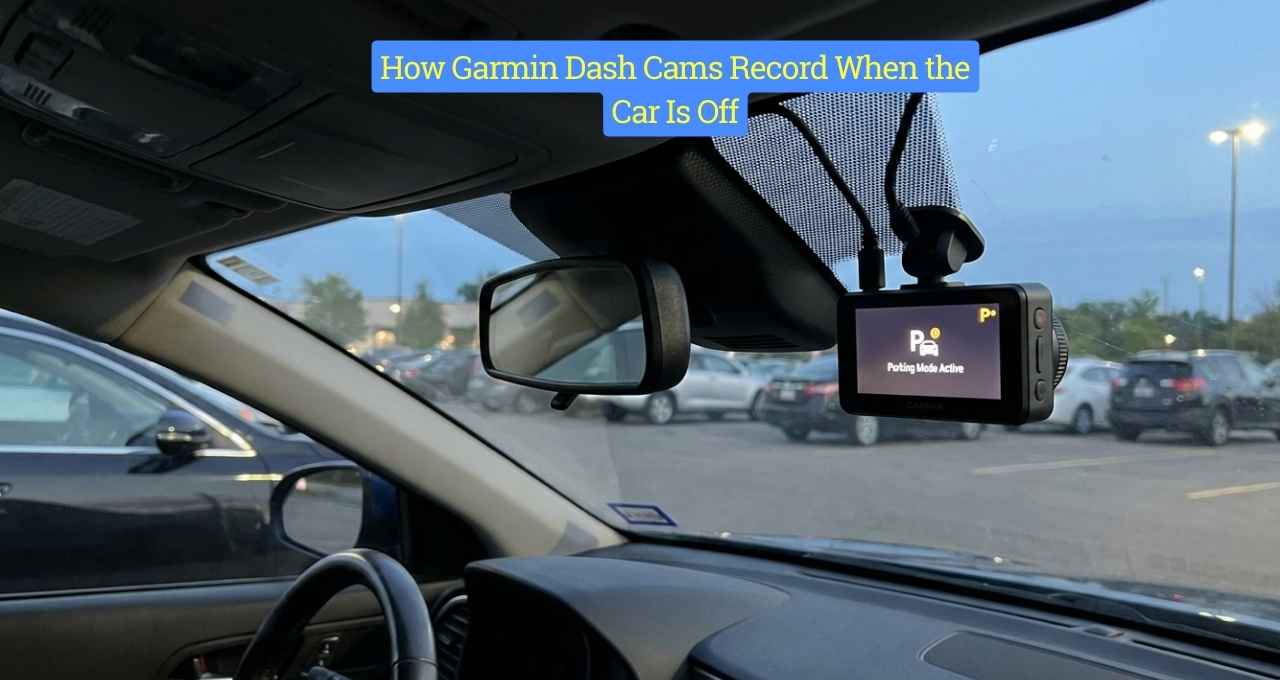
I learned the hard way why dash cams matter when the engine is off. I found a dent in a parking lot, no note, and a sick feeling in my gut—until my Garmin showed what happened. That moment made me dig deep into how Garmin dash cams record when the car is off, and I’ve tested it myself since then. In this guide, I’ll explain how parking mode works, what triggers it, and whether it’s worth trusting to watch your car when you can’t.
Do Garmin Dash Cams Record When the Car Is Off?
Yes, Garmin dash cams can record when the car is off, but only if parking mode is enabled and the camera has power.
This recording does not run nonstop like a home camera. It wakes up only when something happens.
Also, not every Garmin model works the same way, which surprised me when I first set mine up.
How Garmin Dash Cams Record When the Car Is Off
This is where most people get confused. I did too at first. Garmin uses smart triggers, not constant recording, to protect your battery and still catch events.
Parking Mode Explained (In Simple Terms)
Parking mode is Garmin’s way of watching your car while it sleeps.
When driving, the camera records nonstop. When parked, it waits quietly.
It only turns on if it senses motion or impact, which saves power.
Motion and Incident Detection
Garmin dash cams use motion sensors and G-sensors.
Motion detects movement near your car. G-sensors detect bumps or hits.
In my case, a shopping cart hit my door, and the camera woke up right away. It felt like having a guard dog that only barks when needed.
Power Sources That Make Off-Engine Recording Possible
Power matters more than the camera itself.
You can use a hardwire kit, an OBD-II cable, or the small internal battery.
I tried the battery first, and it was not enough. Hardwiring gave me peace of mind and steady coverage.
Which Garmin Dash Cams Support Recording When the Car Is Off?
Not all models support parking mode the same way. Knowing this upfront saves frustration.
Popular Garmin Models With Parking Mode
Garmin Dash Cam Mini 2
Small and discreet. Works well with a hardwire kit. Limited battery on its own.
Garmin Dash Cam 47 / 57 / 67W
These are my favorites. Clear video and strong parking features. Great balance of size and power.
Garmin Dash Cam Tandem
Records inside and outside. Ideal for rideshare drivers. Uses more power, so setup matters.
How Long Can a Garmin Dash Cam Record While the Car Is Off?
There is no single answer. In real life, it depends.
Battery health, sensor sensitivity, and weather all play a role.
On my car, with a hardwire kit, I get coverage overnight without issues.
Does Parking Mode Drain Your Car Battery?
This was my biggest fear.
Garmin includes a low-voltage cutoff to protect your battery. When voltage drops, recording stops.
I’ve never had a dead battery, even after long weekends, and that trust took time to earn.
How to Set Up Garmin Dash Cam Parking Mode (Step-by-Step Overview)
Setup is easier than it sounds.
You connect power, enable parking mode, and adjust sensitivity.
My mistake was setting sensitivity too high. Wind and shadows triggered clips until I tuned it down.
Real-Life Scenarios Where Garmin Parking Mode Helped Me
One night, someone bumped my car and drove off.
The video caught the plate. Insurance was smooth. No stress.
That footage felt like a calm friend saying, “I’ve got you.”
Limitations of Garmin Dash Cam Recording When the Car Is Off
It is not perfect.
It can miss slow movement or events outside the view.
Battery limits and sensitivity are always a trade-off. Knowing this keeps expectations real.
Garmin Dash Cam vs Other Brands for Recording When Parked
I tested other brands. Some record longer but drain faster.
Garmin focuses on balance and safety.
For daily drivers, I still trust Garmin more than flashy features.
FAQs – How Garmin Dash Cams Record When the Car Is Off
Can Garmin dash cams record all night when the car is off?
Yes, with a hardwire kit and healthy battery.
Do I need a hardwire kit for parking mode?
Yes, if you want reliable coverage.
Will my Garmin dash cam record if someone hits my parked car?
Yes, impact triggers recording.
Does Garmin dash cam record sound when parked?
No, parking clips are video only.
Is parking mode always on automatically?
No. You must enable it in settings.
Final Thoughts – Is Garmin Parking Mode Worth It?
For me, yes.
It turned anxiety into calm. It gave answers when no one was around.
If you want quiet protection without killing your battery, Garmin parking mode is worth trusting.
